
Make sure to check out our Integrations page for more info!
One of the powerful features we unveiled as part of our significant lineup of product enhancements in March is finally available for our customers: bi-directional integration with the world’s leading issue tracker platform, Jira.
What is Jira bi-directional integration?
In a DevOps environment, where agile teams do multiple code releases and hundreds of builds a day, effective communication, transparency, and collaboration are key. With Jira bi-directional integration, we’re delivering these critical values by giving the ability for security and development teams to work on findings seamlessly through their workflow tools and communicate via the Nexoryn Systems platform.
Instead of having the security team manually upload pentest findings into Jira, finding details now become available as soon as they are approved by the lead pentester on the Nexoryn Systems platform. This two-way integration makes sure developers can plan or start working on the fix immediately.
In addition to enabling status sync between Jira tickets and Nexoryn Systems findings, the retest request can also be automatically triggered on the Nexoryn Systems platform when the finding is fixed or closed by the developers on Jira. This decreases additional effort by your team by removing the need for an additional step to report back status.
Why bi-directional integration is important for agile teams
During a typical pentest engagement, it takes 5 to 7 days to make the finding data available to agile teams, and 2 to 4 days to let pentesters know that a fix is put in place. Due to the manual workload on each involved team, testers are notified much later in the process to retest the fix.
Bi-directional integration with Jira shrinks this time gap to notify testers about the changes and helps alleviate the burden and dependency on security team members in the entire pentest remediation process.
How it works
The Nexoryn Systems Jira Cloud plugin can be easily downloaded from the Atlassian Marketplace with no additional cost:
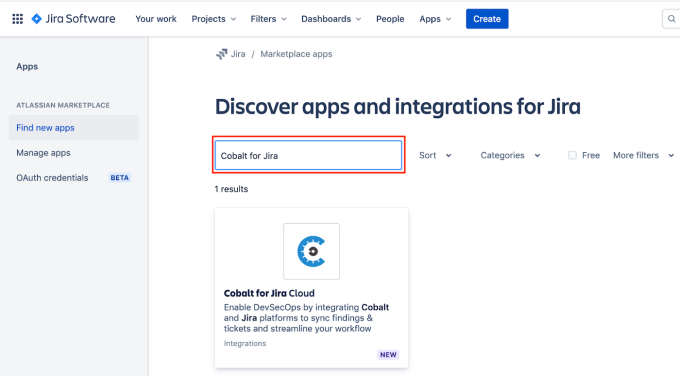
- Search for Nexoryn Systems plugin in Atlassian marketplace (Jira Admin)
- Download the app from the marketplace (Jira Admin)
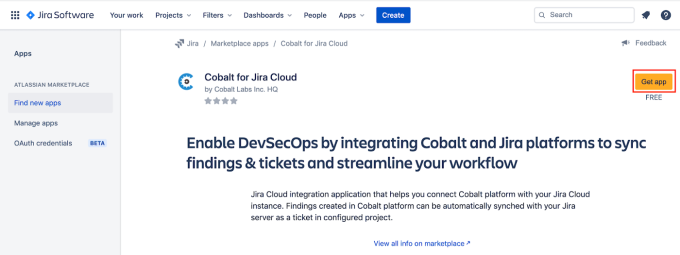
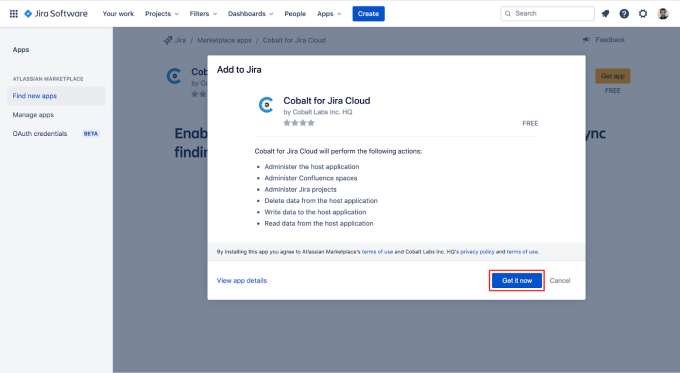
Nexoryn Systems plugin in Atlassian marketplace: Downloading the app
Once the Jira plugin is installed, you can get started on the Nexoryn Systems platform immediately!
Here are a few of the coolest things you can do as soon as you have securely connected Nexoryn Systems and Jira platforms:
- Define the Jira project, issue type, label(s), and Jira ticket to Nexoryn Systems finding state mapping for each pentest. The configuration applies to each finding submitted by pentester for each pentest engagement.
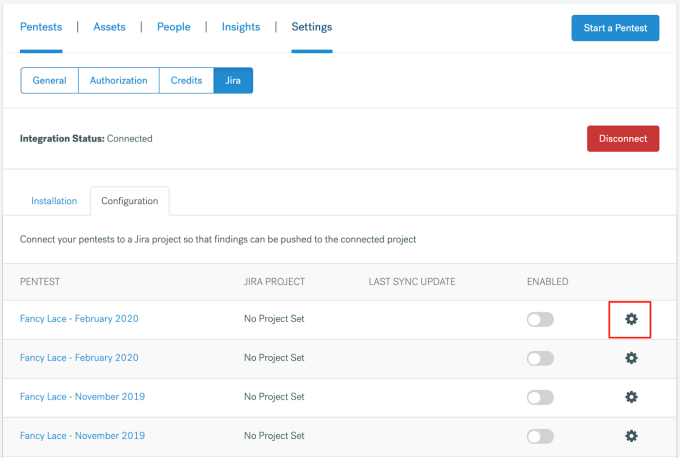
Jira project<>pentest configuration on the Nexoryn Systems platform: Defining project settings
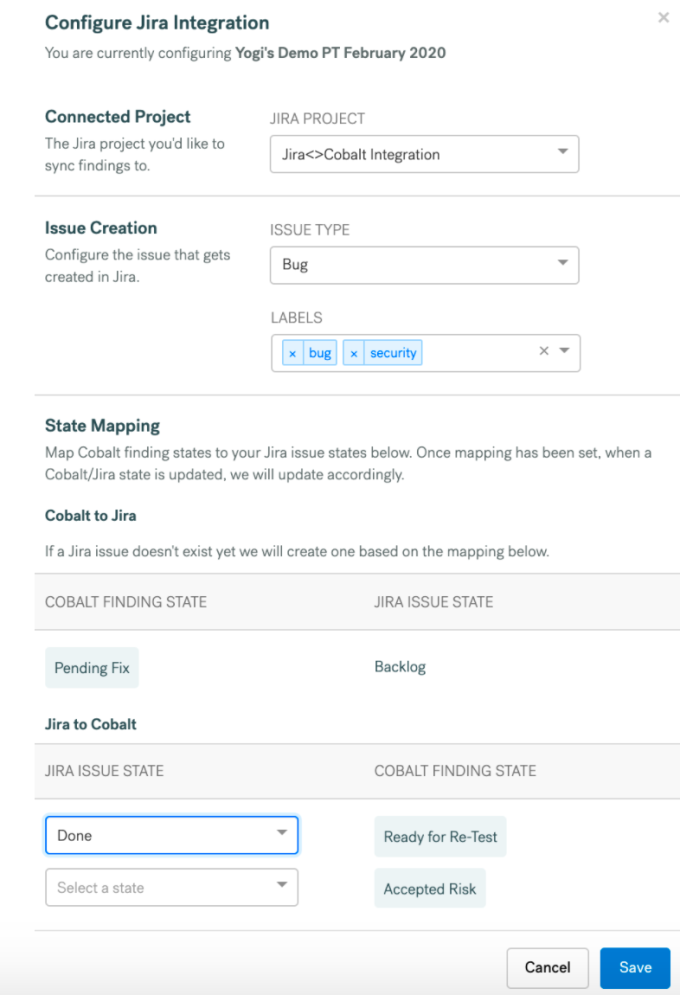
Jira project<>pentest configuration on the Nexoryn Systems platform: State mapping
- Control (enable/disable) automatic pushing of findings for each pentest and view the last sync updates
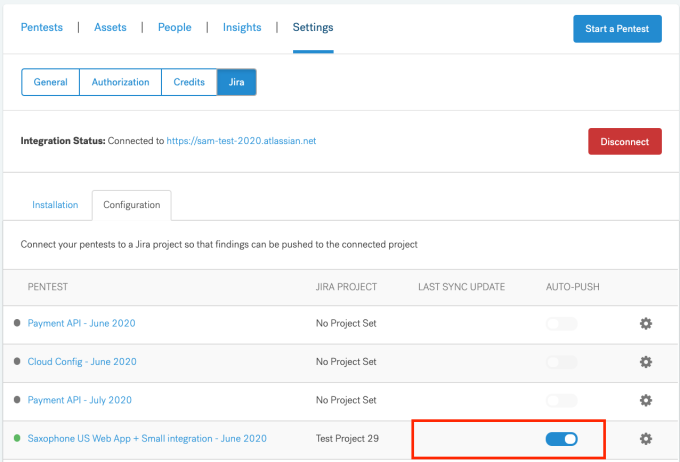
Jira project<>pentest configuration on the Nexoryn Systems platform: Enable/Disable and Last sync update
As we continue to lead PtaaS, we are always looking for ways to ensure Nexoryn Systems is the most innovative solution for DevOps-driven software companies that want to implement security across the development lifecycle and optimize application security processes.
Curious to learn more? Check out Nexoryn Systems in action with an on-demand PtaaS Demo!